
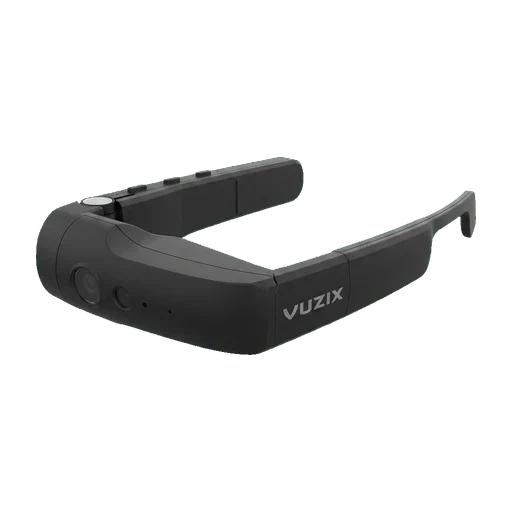
Vuzix M400C — specification and verdict
The M400C is not a smart glass that runs anything. It is a peripheral: one occluded OLED panel at 640x360 covering about 16.8 degrees diagonal, an autofocus camera, three noise-cancelling microphones and a speaker, all fed from a host over a single USB-C cable in DisplayPort Alt Mode. At 2000 nits the panel stays readable in a bright plant, and at 68 grams it is light enough for a full shift on a glasses-style frame. For training that means a trainee can read a checklist, a work instruction or a remote expert's video feed in the corner of one eye, and can stream back what they are looking at. It cannot render a 3D scene, it does not track where the wearer is standing, and everything on the display is produced by the phone or laptop at the other end of the cable.
There is nothing to deploy onto the M400C itself. The glasses carry no operating system, so there is no MDM enrolment, no kiosk mode and no app store on the device; you manage the host Android phone or PC instead, and whatever policy applies there covers the glasses by extension. That simplifies fleet management and doubles the hardware count, because every pair needs a host that someone has to buy, charge and secure. The M400C also has no battery of its own and draws all its power from the tethered host, so runtime is the host's runtime and a flat phone is a dead pair of glasses. Vuzix sold it into the EU and the UK at launch, but it has since moved to the legacy product list, so a new deployment in Poland or Germany means chasing remaining distributor stock rather than ordering from the manufacturer.
Do not start a new programme on the M400C in 2026. Vuzix lists it as a discontinued product alongside the M300 and the original Blade, and the M400C product page now redirects to the current lineup. If the use case is genuinely remote assistance or hands-free document reading, look at the M400 or M4000 that Vuzix still sells; if the use case is training simulation, this is the wrong class of device entirely and a standalone VR headset is what you want.
How it compares within its class
The axis runs from the lowest to the highest published figure among the AR — industrial devices in this catalogue. The grey tick is the median of that class.
Median for this class: 188 g, from 14 models that publish the figure.
Median for this class: $1499, from 11 models that publish the figure.
Controllers and hand tracking
Operated by Voice · Touchpad on the temple.
Bare hands
No hand tracking.
Full specification
An em dash means the manufacturer does not publish that figure.
- ManufacturerWho makes it — and who you buy support from.
- Vuzix
- CategoryWhich kind of product this is. It decides which rows below make sense at all.
- AR — industrial
- Device typeWhere the computing happens, and therefore what you need to run it.
- Phone-powered AR
- AnnouncedThe day it was shown, which is not the day it shipped.
- 2022-02-10
- ReleasedYear the model went on sale. Older is not automatically worse in this category.
- 2022
- AvailabilityWhether you can still order it new today.
- Discontinued
- Support endsThe date the manufacturer stops supporting it. Decisive for a fleet you are about to buy.
- Support ends: not published by the manufacturer
- DisplayHow the image is produced. "No display" is a real answer in this category, not a gap.
- Micro-OLED, one eye
- Eyes coveredOne eye or both. Over a full shift this is a real difference in fatigue.
- One eye
- Resolution per eyePixels delivered to each eye. Higher means small text and labels stay readable.
- 640x360
- Refresh rateImages per second. Higher feels smoother and helps people prone to motion discomfort.
- Refresh rate: not published by the manufacturer
- Field of viewHow much of your view the image covers. Bigger is more immersive, not automatically better for work.
- ≈16.8° diagonal*VRcompare estimate
- Pixel densityPixels per degree of view — the honest way to compare sharpness between a headset and a pair of glasses. Higher is sharper. Only shown where somebody published it; we never compute it ourselves.
- Pixel density: not published by the manufacturer
- BrightnessIn a plant or outdoors, brightness decides legibility more than resolution does.
- ≈2000 nits*VRcompare — Vuzix M400C specification
- WeightThe device alone. Anything above roughly 150 g is felt within an hour.
- 68 g
- Visible field of viewWhat the eye actually sees through the optics, by axis.
- Visible field of view: not published by the manufacturer
- Rendered field of viewWhat the device draws. Never smaller than what you see.
- Rendered field of view: not published by the manufacturer
- Binocular overlapWhere both eyes see the same thing — this is where depth happens.
- Binocular overlap: not published by the manufacturer
- Average pixel densityPixels per degree across the image. More is sharper.
- Average pixel density: not published by the manufacturer
- Peak pixel densityThe sharpest point, usually the centre of the lens.
- Peak pixel density: not published by the manufacturer
- Subpixel layoutHow the coloured dots sit in a pixel. A stripe looks cleaner on text than PenTile.
- Subpixel layout: not published by the manufacturer
- Foveated renderingWhether detail is dropped outside where you look, to save performance.
- Foveated rendering: not published by the manufacturer
- Vision correctionHow somebody who wears glasses uses it, and in what dioptre range.
- Vision correction: not published by the manufacturer
- DimensionsWidth, height and depth of the device itself.
- Dimensions: not published by the manufacturer
- Weight with strapWith the strap it ships with — the weight you actually wear.
- Weight with strap: not published by the manufacturer
- Head strapSoft band or a rigid one. Decides how the weight sits over an hour.
- Glasses frame
- MaterialsShell and facial interface, in the vendor’s words.
- plastic
- ColoursColours the manufacturer sells it in.
- Colours: not published by the manufacturer
- Haptics in the headsetVibration in the headset itself, not in the controllers.
- No
- TrackingWhether content stays put in the room (6DoF), follows head rotation (3DoF) or is simply fixed.
- 3DoF (rotation only)
- Tracking camerasHow many cameras it uses to know where it is.
- Tracking cameras: not published by the manufacturer
- Tracking rateHow often position is recalculated. Higher is steadier.
- Tracking rate: not published by the manufacturer
- Depth sensorA dedicated sensor for distance, on top of the cameras.
- Depth sensor: not published by the manufacturer
- Hand trackingWhether bare hands can operate the interface, without a controller or the phone.
- No
- Face trackingTracks facial expression — for avatars, not for training scenarios.
- No
- Body trackingHow much of the body the device knows about. Estimated legs are not tracked legs.
- None
- Controllers includedWhether motion controllers come in the box, or are bought separately — or the device is hands-only.
- No
- Controller tracking6DoF controllers track position and rotation, so a hand reaches in space; 3DoF only point. “None” means hands only.
- None (hands only)
- Other controllersWhether the headset works with controllers other than the ones it ships with.
- Other controllers: not published by the manufacturer
- Other input methodsWays in beyond controllers and bare hands.
- Voice · Touchpad on the temple
- Where it computesWhether the device computes on its own or depends on a phone, PC or belt-worn puck.
- Driven by a phone
- ProcessorThe processor and memory inside. This is what the performance grade above is derived from.
- Processor: not published by the manufacturer
- CPUCores and clocks, where the manufacturer publishes them.
- CPU: not published by the manufacturer
- GPUThe graphics part of the chip.
- GPU: not published by the manufacturer
- MemoryRAM on the device. Together with the chipset it sets how complex a scene can be.
- Memory: not published by the manufacturer
- PlatformThe platform an application is built against — and what an MDM has to speak.
- Platform: not published by the manufacturer
- StorageOn-board space for downloaded courses. More matters for an offline library in several languages.
- Storage: not published by the manufacturer
- SD card slotWhether storage can be added with a card.
- SD card slot: not published by the manufacturer
- BatteryRuntime as the manufacturer states it. A hot-swappable pack matters more than the figure.
- Battery: not published by the manufacturer
- Battery capacity (Wh)Energy in the cell. Bigger is longer, given the same power draw.
- Battery capacity (Wh): not published by the manufacturer
- Battery capacity (mAh)The same fact in the other unit vendors use. We never convert between the two.
- Battery capacity (mAh): not published by the manufacturer
- Charge timeFrom empty to full. Rarely stated by the manufacturer, so it usually comes from whoever timed it.
- Charge time: not published by the manufacturer
- ChargerPower of the supplied charger — it decides the charge time above.
- Charger: not published by the manufacturer
- External batteryBattery on a cable or a puck instead of on the head.
- External battery: not published by the manufacturer
- Charging caseExtra runtime carried in the case the glasses ship with.
- Charging case: not published by the manufacturer
- Hot-swap batteryWhether a charged battery can replace the empty one without ending the session. This is what decides if a headset can hold an all-day training station.
- Hot-swap battery: not published by the manufacturer
- Third-party appsHow a third party's application reaches the device: an ordinary Android package, a vendor-only SDK, or not at all.
- App lives on the phone
- Runs Skillsive appsOur own statement about whether Skillsive training applications run on it today.
- No
- Suitable for trainingOur judgement on whether it survives real deployment: comfort, hygiene, fleet management.
- No
- Kiosk mode / MDMVendor tooling to enrol devices, push an app and lock the headset to it. Practically required above ten devices.
- No
- Business tierAn official business tier, so devices belong to the company rather than to employees’ personal accounts.
- No
- CertificationsIndustrial certifications stated on the manufacturer's own page. Empty means unconfirmed, never "probably fine".
- IP67
- PortsPhysical sockets and charging contacts.
- USB Type-C
- Wi-FiThe Wi-Fi generation — it decides how well wireless streaming holds up.
- Wi-Fi: not published by the manufacturer
- BluetoothFor controllers, headphones and accessories.
- Bluetooth: not published by the manufacturer
- Video from a computerWhether a computer can drive it, over a cable or wirelessly.
- Over a cable (USB-C DisplayPort Alt Mode)
- AudioBuilt-in sound. Matters most where somebody has to hear a remote expert while working.
- Built-in speakers
- MicrophoneBuilt-in microphone — the other half of talking to a remote expert.
- Yes
- MicrophonesHow many. An array picks a voice out of a noisy hall; one does not.
- 3
- CameraA camera is what makes a remote expert call and photo documentation possible.
- Yes
- Price bandThe band it sits in, rather than a price that goes stale.
- Enterprise
- Launch priceThe manufacturer's launch price. Fixed history, so it never goes stale.
- $1299.99
- Price by configurationWhat each configuration cost at launch.
- Price by configuration: not published by the manufacturer
- Price todayApproximate current net price in USD — a general figure, since these barely differ between regions once tax is stripped out. A snapshot from the date shown, not an offer.
- Price today: not published by the manufacturer
Who this device is for
This suited field-service and warehouse teams that already had a managed Android phone in every pocket and wanted a camera and a small readable panel on the operator's head without adding a second device to manage. It was never a device for classroom or simulation training, and the 640x360 monocular panel makes that obvious the moment you try to show anything on it other than text.
What is missing, and what the manufacturer does not publish
Vuzix and VRcompare disagree about the most basic figure: Vuzix's own launch release puts the M400C at 68 grams, VRcompare at 180 grams, which is closer to the battery-equipped M400 and looks inherited from that record. Vuzix never published a field of view or a brightness figure at all, so the 16.8 degrees diagonal and 2000 nits here are VRcompare's numbers and are flagged as such. We also dropped VRcompare's Wi-Fi 802.11ac and Bluetooth 5.0 entries, because a passive USB-C display with no operating system has no evident use for either and Vuzix documents neither. No discontinuation year and no end-of-support date have ever been published, only the move to the legacy products page.
Vuzix M400C in independent reviews
Reviews we consider worth your time, each with a note on what the reviewer actually tested and why it matters for a training rollout. We do not own this hardware, so the tests are theirs — the reading of them is ours.
- KOPEX IT SOLUTIONS 2022
The only video that covers this SKU specifically rather than the standalone M400. It is a Hungarian integrator's presentation, and it centres on the thing that defines the C variant: it connects to a host system instead of running on its own.
Watch on YouTube - Verified Reviews2026
A critical hands-on with the standalone M400, the sibling this SKU shares its optics and body with. Independent criticism of enterprise AR is scarce, so a video that leads with the problems is worth the substitution.
Watch on YouTube - boxxe Tech Solutions2021
A reseller's walkthrough of the M-series across different working environments — again the M400 rather than this variant. Useful for seeing where the form factor is worn and how it is mounted; treat the assessment as sales.
Watch on YouTube
Nothing is sent to YouTube until you press play. Once you do, Google receives your IP address and device data and may process them outside the EEA — see our privacy policy for the details.
Vuzix M400C — frequently asked questions
- What is the difference between the Vuzix M400 and the M400C?
- The M400 is a self-contained Android computer you wear; the M400C is the same optics, camera and microphone array with the computer removed. The M400C has no processor, no operating system, no storage and no battery, and takes its picture over DisplayPort Alt Mode on a USB-C cable from a host phone or PC. That is also why it weighs 68 grams rather than the M400's battery-laden figure, and why the M400 supports mobile device management and the M400C does not.
- Is the Vuzix M400C still sold in 2026?
- No. Vuzix's product support page files the M400C under legacy products together with the M300 and the original Blade, while the M400, M4000, Blade 2, Shield, LX1 and Z100 remain current, and the old M400C product URL now redirects to the current lineup. Support documentation is still online and remaining units surface at distributors, but no end-of-support date has been published, so treat a purchase today as buying out of stock rather than into a supported product line.
- Can Skillsive VR training courses run on the Vuzix M400C?
- No. Our courses are standalone Android VR applications and the M400C runs no applications at all: it is a 640x360 monocular panel with no positional tracking and no compute of its own. For VR training you need a standalone headset with 6DoF tracking. The M400C's honest job is remote assistance and hands-free reading, not simulation.
Compare this device
Consider these too
The nearest devices in the same class, ranked by availability and launch price — not by our opinion of them.
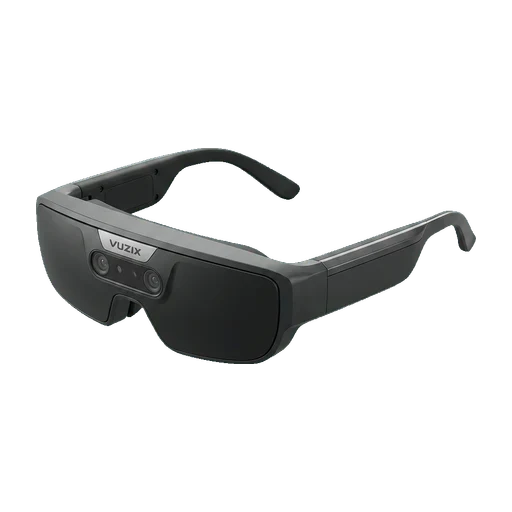
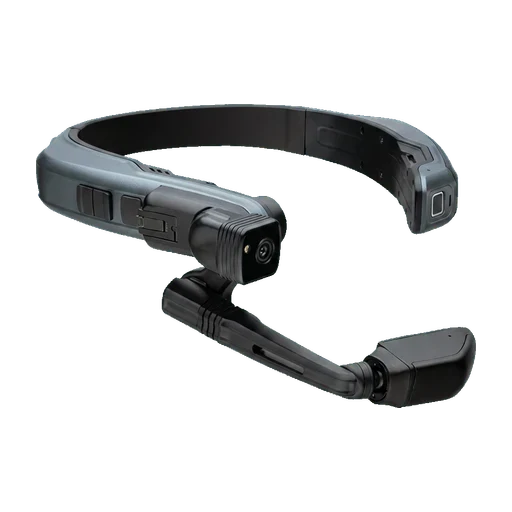
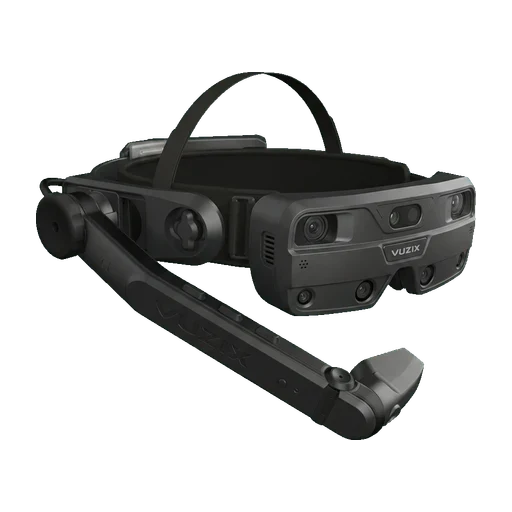
Specifications checked against the manufacturer's page on 2026-08-08. Manufacturer's specification
Product and company names used here are the trademarks of their respective owners and appear only to identify the hardware being compared. We are not affiliated with, sponsored by or endorsed by any of these manufacturers. Illustrations are our own.