
1
Nuclear Attack
Nuclear Attack
10 min
# Civil Defense VR – interactive emergency preparedness training **Civil Defense VR** is an innovative training application designed to teach essential civil defense and emergency response skills through immersive virtual reality. The app combines realistic simulations with short, practical lessons, helping users build confidence and quick decision-making skills in critical situations. ## Available lessons and modules 1. **Air Raid Alarm – at Home** Learn how to react during an air raid when you are inside your home: securing rooms, identifying safe zones, and preparing for evacuation. 2. **Air Raid Alarm – Outdoors** Practice emergency responses while on the street, in a park, or other open spaces. Learn how to quickly find shelter and minimize risks. 3. **Air Raid Alarm – While Traveling** A scenario that teaches how to stay safe when an alarm occurs during public transport or while driving. 4. **Natural Disaster Alarm** Respond to events such as floods, hurricanes, or earthquakes. Gain practical knowledge on survival strategies and risk assessment. 5. **Contamination Alarm** Train for chemical, biological, or radiological hazards: sealing rooms, using protective equipment, and following decontamination steps. 6. **Recognizing Drone Threats** Learn how to identify surveillance or combat drones and respond effectively to aerial threats. --- ## Key features and benefits - **Immersive VR experience** – highly realistic scenarios increase user engagement and retention. - **Short, focused modules** – each lesson lasts only a few minutes, making it easy to integrate into safety programs. - **Flexible learning paths** – choose a full course or specific modules depending on organizational needs. - **Build emergency preparedness** – develop automatic responses, calm decision-making, and situational awareness. - **For schools, companies, and institutions** – ideal as part of safety education, corporate training, or public safety initiatives. - **Easy implementation** – compatible with major VR headsets and supported with onboarding assistance. --- ## Who benefits from Civil Defense VR? - **Schools and teachers** – an engaging supplement to safety education. - **Companies and organizations** – integrate into workplace safety and emergency response training. - **Public institutions and civil defense teams** – support regular drills and awareness campaigns. - **Individuals and families** – improve personal preparedness for unexpected emergencies. **Civil Defense VR** makes emergency preparedness training more engaging, effective, and accessible — preparing users for real-life challenges in a safe virtual environment. Civil Defence
1h 8min
8 lessons
2 languages
Controllers or hands
About 2 x 2 m
Optional commands
# Civil Defense VR – interactive emergency preparedness training **Civil Defense VR** is an innovative training application designed to teach essential civil defense and emergency response skills through immersive virtual reality. The app combines realistic simulations with short, practical lessons, helping users build confidence and quick decision-making skills in critical situations. ## Available lessons and modules 1. **Air Raid Alarm – at Home** Learn how to react during an air raid when you are inside your home: securing rooms, identifying safe zones, and preparing for evacuation. 2. **Air Raid Alarm – Outdoors** Practice emergency responses while on the street, in a park, or other open spaces. Learn how to quickly find shelter and minimize risks. 3. **Air Raid Alarm – While Traveling** A scenario that teaches how to stay safe when an alarm occurs during public transport or while driving. 4. **Natural Disaster Alarm** Respond to events such as floods, hurricanes, or earthquakes. Gain practical knowledge on survival strategies and risk assessment. 5. **Contamination Alarm** Train for chemical, biological, or radiological hazards: sealing rooms, using protective equipment, and following decontamination steps. 6. **Recognizing Drone Threats** Learn how to identify surveillance or combat drones and respond effectively to aerial threats. --- ## Key features and benefits - **Immersive VR experience** – highly realistic scenarios increase user engagement and retention. - **Short, focused modules** – each lesson lasts only a few minutes, making it easy to integrate into safety programs. - **Flexible learning paths** – choose a full course or specific modules depending on organizational needs. - **Build emergency preparedness** – develop automatic responses, calm decision-making, and situational awareness. - **For schools, companies, and institutions** – ideal as part of safety education, corporate training, or public safety initiatives. - **Easy implementation** – compatible with major VR headsets and supported with onboarding assistance. --- ## Who benefits from Civil Defense VR? - **Schools and teachers** – an engaging supplement to safety education. - **Companies and organizations** – integrate into workplace safety and emergency response training. - **Public institutions and civil defense teams** – support regular drills and awareness campaigns. - **Individuals and families** – improve personal preparedness for unexpected emergencies. **Civil Defense VR** makes emergency preparedness training more engaging, effective, and accessible — preparing users for real-life challenges in a safe virtual environment. Civil Defence
This page presents the course as a complete VR training scenario: the participant does not only watch instructions, but acts inside a simulated environment and follows decisions step by step.
This content is replaced automatically once a fuller description, program, case studies or video material becomes available for this application.
The preview section highlights the details that usually help teams evaluate a VR app before rollout: scenario flow, interaction style and how the participant works inside the module.
The participant enters a task-based situation instead of reading static instructions.
The scenario guides choices, action order and consequences typical for practical training.
The same training standard can be launched for many groups, locations and languages.
A trailer or recording will appear here once it becomes available.
The key actions, decisions and behaviors worth showing, even before a detailed skills breakdown is available.
Recognizing hazards, available tools and next steps before taking action.
Practicing the right action order in an environment where mistakes are safe.
Making decisions, giving instructions and reacting to feedback during the scenario.
Repeatable practice helps teams act consistently across locations and training dates.
A suggested module flow, shown until the final lesson program is available.
The participant learns the goal, context and interaction rules of the VR environment.
The main part focuses on decisions, action order and responding to feedback.
After the scenario, the participant receives a clear view of performance and improvement points.
Nuclear Attack
[LessonDescription: DroneAttack]
Radioactive Contamination
Description

Katastrofa Hydrologiczna - Przełamanie Zapory

Opis
Description

PATROL OC/OL
Common rollout contexts for VR courses in organizations.
A fast introduction to operating standards without blocking production workplaces.
A repeatable module that can be launched for many groups and compared between sessions.
An engaging workshop format that involves participants more than a classic presentation.
A practical way to check whether the participant understands and can perform the procedure.
Default audience groups for VR modules inside an organization.
The key benefits of VR training for organizations.
Risky or costly situations can be trained without stopping work or exposing participants.
Every group goes through the same scenario, instructions and completion criteria.
Participants act, see consequences and remember procedures faster.
The same module can be rolled out across many locations, languages and dates.
 Duration: 40 min
Forklift VR Training is an immersive training programme designed to improve safety when operating forklift trucks and to prepare employees for the UDT examination. The programme consists of four interactive modules, each lasting approximately 10 minutes, providing a total of 40 minutes of practical training.
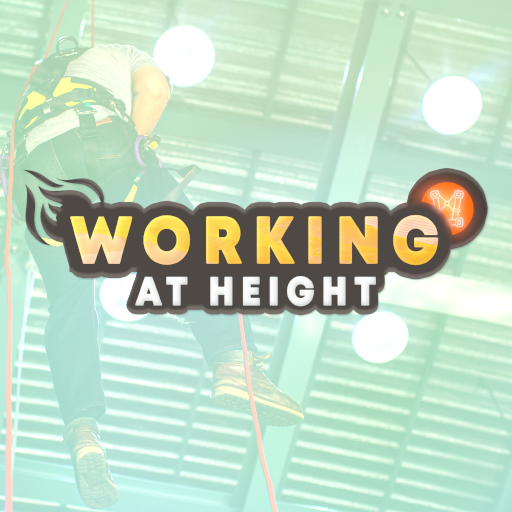 Duration: 20 min
Accident statistics clearly show that working at height requires special attention and proper knowledge. How can a worker’s fall be prevented? How should an evacuation be carried out when a worker finds themselves in a dangerous situation? Our innovative training provides the answer. It not only helps minimise risk, but also delivers an engaging, memorable experience and substantial practical knowledge, making it a key tool for occupational health and safety training. The application consists of three parts: * Inspection and selection of equipment for working at height * Vertical fall arrest systems * Evacuation from height
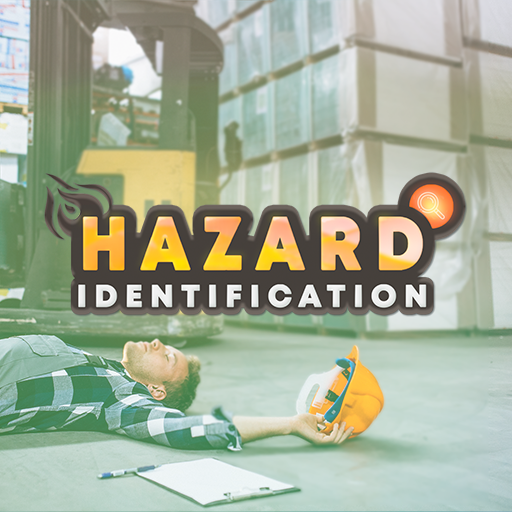 Duration: 10 min
During the training, participants must identify various types of hazards in the production hall and implement the appropriate response procedures, including: 1. OBSTRUCTED PEDESTRIAN ROUTES 2. MOVING OUTSIDE DESIGNATED PEDESTRIAN ROUTES 3. NOISE 4. EYE HAZARDS 5. MANUAL HANDLING OPERATIONS 6. MOVING MACHINE PARTS 7. OBSTRUCTED FIRE-FIGHTING EQUIPMENT AND EMERGENCY EXITS 8. WORKING IN THE VICINITY OF A FORKLIFT TRUCK 9. WORKING IN THE VICINITY OF AN OVERHEAD CRANE 10. 5S