
1
Home and Office Ergonomic
[LessonDescription: Ergonomics]
10 min
The application consists of 5 different modules and uses both VR and AR. It displays your desk and adjusts it to meet current regulations. During the experience, you will embark on a fascinating journey through the virtual history of humankind, explore human anatomy, and learn how to work healthily. Hazards of sedentary work – Using augmented reality (AR), a virtual human appears in your room at your desk. In this part of the application, you will discover the risks associated with sedentary work. The app uses an anatomical model of the human body. Through a precise projection of the muscular structure, circulatory system, and physical build, you can observe the changes that occur when working in a seated position. Your goal is to identify the hazards and perform preventive exercises with a virtual trainer. The impact of sitting on health – The application will take you on a fascinating journey through a virtual world, where you will learn about the history of humankind's relationship with sitting. You will travel to, among other places, the Stone Age, the Middle Ages, and the present day. A beautiful and engaging virtual journey that brings history to life in an educational way. Ergonomic workstation – In this part of the application, augmented reality is used to help you adjust your desk to meet current ergonomic standards. The aim is to align virtual objects with the real elements of your desk. As a result, you receive guidance on how to improve your working environment. Active workstation – With this application, you can set up a virtual standing desk. You do not need to buy a desk to see whether it fits your room. Simply put on the headset – you will see your room through the goggles with a virtual standing desk inside it. Augmented reality helps you visualise what such a desk would look like in your office or home. But that is not all – once you have set up the desk, you will learn about the principles of standing work. A virtual trainer will introduce you to the topic of working while standing, highlight the benefits, and show you how to make the transition from sitting to standing with ease. Mobility training – A virtual trainer will appear in your room to guide you through a series of mobilisation exercises. The exercises are wireless and make use of everyday household objects.
10 min
1 lección
9 idiomas
Mandos o manos
Unos 2 x 2 m
Comandos opcionales
The application consists of 5 different modules and uses both VR and AR. It displays your desk and adjusts it to meet current regulations. During the experience, you will embark on a fascinating journey through the virtual history of humankind, explore human anatomy, and learn how to work healthily. Hazards of sedentary work – Using augmented reality (AR), a virtual human appears in your room at your desk. In this part of the application, you will discover the risks associated with sedentary work. The app uses an anatomical model of the human body. Through a precise projection of the muscular structure, circulatory system, and physical build, you can observe the changes that occur when working in a seated position. Your goal is to identify the hazards and perform preventive exercises with a virtual trainer. The impact of sitting on health – The application will take you on a fascinating journey through a virtual world, where you will learn about the history of humankind's relationship with sitting. You will travel to, among other places, the Stone Age, the Middle Ages, and the present day. A beautiful and engaging virtual journey that brings history to life in an educational way. Ergonomic workstation – In this part of the application, augmented reality is used to help you adjust your desk to meet current ergonomic standards. The aim is to align virtual objects with the real elements of your desk. As a result, you receive guidance on how to improve your working environment. Active workstation – With this application, you can set up a virtual standing desk. You do not need to buy a desk to see whether it fits your room. Simply put on the headset – you will see your room through the goggles with a virtual standing desk inside it. Augmented reality helps you visualise what such a desk would look like in your office or home. But that is not all – once you have set up the desk, you will learn about the principles of standing work. A virtual trainer will introduce you to the topic of working while standing, highlight the benefits, and show you how to make the transition from sitting to standing with ease. Mobility training – A virtual trainer will appear in your room to guide you through a series of mobilisation exercises. The exercises are wireless and make use of everyday household objects.
Esta página presenta el curso como un escenario de formación en VR completo: el participante no se limita a ver instrucciones, sino que actúa dentro de un entorno simulado y sigue decisiones paso a paso.
El contenido de respaldo se sustituye automáticamente cuando la API proporciona una descripción, un programa, casos de estudio o material audiovisual más completos para esta aplicación en concreto.
La sección de vista previa destaca los detalles que suelen ayudar a los equipos a evaluar una aplicación de VR antes de implantarla: el flujo del escenario, el estilo de interacción y cómo trabaja el participante dentro del módulo.
El participante entra en una situación basada en tareas en lugar de leer instrucciones estáticas.
El escenario guía las elecciones, el orden de las acciones y las consecuencias propias de la formación práctica.
El mismo estándar de formación puede lanzarse para muchos grupos, sedes e idiomas.
Se puede añadir un tráiler o una grabación en cuanto el material esté disponible en la API.
Las acciones, decisiones y comportamientos clave que merece la pena mostrar incluso cuando la API todavía no ofrece datos detallados sobre las habilidades.
Reconocer los riesgos, las herramientas disponibles y los siguientes pasos antes de actuar.
Practicar el orden correcto de las acciones en un entorno donde equivocarse es seguro.
Tomar decisiones, dar instrucciones y reaccionar a la retroalimentación durante el escenario.
La práctica repetible ayuda a los equipos a actuar de forma coherente en distintas sedes y fechas de formación.
Un flujo de módulo sugerido hasta que el backend proporcione el programa de lecciones definitivo.
El participante conoce el objetivo, el contexto y las reglas de interacción del entorno de VR.
La parte principal se centra en las decisiones, el orden de las acciones y la respuesta a la retroalimentación.
Tras el escenario, el participante recibe una visión clara de su rendimiento y de los puntos de mejora.
[LessonDescription: Ergonomics]
Contextos habituales de implantación de los cursos de VR en las organizaciones.
Una introducción rápida a los estándares de trabajo sin bloquear los puestos de producción.
Un módulo repetible que puede lanzarse para muchos grupos y compararse entre sesiones.
Un formato de taller atractivo que implica más a los participantes que una presentación clásica.
Una forma práctica de comprobar si el participante entiende y sabe ejecutar el procedimiento.
Grupos de destinatarios habituales de los módulos de VR dentro de una organización.
Esta sección refuerza el valor de negocio de la página hasta que los casos de estudio detallados formen parte de la API.
Las situaciones arriesgadas o costosas pueden entrenarse sin detener el trabajo ni exponer a los participantes.
Todos los grupos siguen el mismo escenario, las mismas instrucciones y los mismos criterios de finalización.
Los participantes actúan, ven las consecuencias y memorizan los procedimientos más rápido.
El mismo módulo puede implantarse en muchas sedes, idiomas y fechas.
 40 min
Forklift VR Training is an immersive training programme designed to improve safety when operating forklift trucks and to prepare employees for the UDT examination. The programme consists of four interactive modules, each lasting approximately 10 minutes, providing a total of 40 minutes of practical training.
 20 min
Accident statistics clearly show that working at height requires special attention and proper knowledge. How can a worker’s fall be prevented? How should an evacuation be carried out when a worker finds themselves in a dangerous situation? Our innovative training provides the answer. It not only helps minimise risk, but also delivers an engaging, memorable experience and substantial practical knowledge, making it a key tool for occupational health and safety training. The application consists of three parts: * Inspection and selection of equipment for working at height * Vertical fall arrest systems * Evacuation from height
 10 min
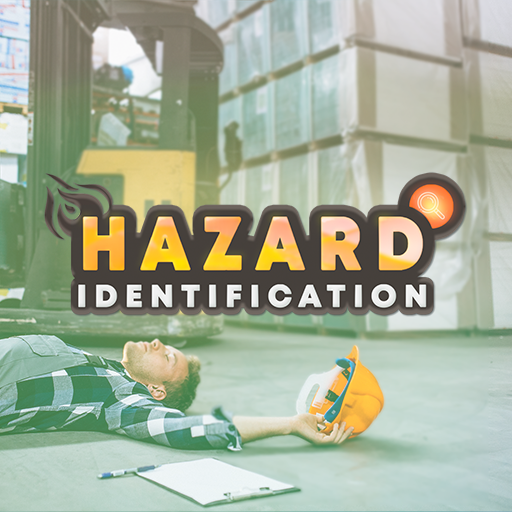
During the training, participants must identify various types of hazards in the production hall and implement the appropriate response procedures, including: 1. OBSTRUCTED PEDESTRIAN ROUTES 2. MOVING OUTSIDE DESIGNATED PEDESTRIAN ROUTES 3. NOISE 4. EYE HAZARDS 5. MANUAL HANDLING OPERATIONS 6. MOVING MACHINE PARTS 7. OBSTRUCTED FIRE-FIGHTING EQUIPMENT AND EMERGENCY EXITS 8. WORKING IN THE VICINITY OF A FORKLIFT TRUCK 9. WORKING IN THE VICINITY OF AN OVERHEAD CRANE 10. 5S