
1
Home and Office Ergonomic
[LessonDescription: Ergonomics]
10 min
The application consists of 5 different modules and uses both VR and AR. It displays your desk and adjusts it to meet current regulations. During the experience, you will embark on a fascinating journey through the virtual history of humankind, explore human anatomy, and learn how to work healthily. Hazards of sedentary work – Using augmented reality (AR), a virtual human appears in your room at your desk. In this part of the application, you will discover the risks associated with sedentary work. The app uses an anatomical model of the human body. Through a precise projection of the muscular structure, circulatory system, and physical build, you can observe the changes that occur when working in a seated position. Your goal is to identify the hazards and perform preventive exercises with a virtual trainer. The impact of sitting on health – The application will take you on a fascinating journey through a virtual world, where you will learn about the history of humankind's relationship with sitting. You will travel to, among other places, the Stone Age, the Middle Ages, and the present day. A beautiful and engaging virtual journey that brings history to life in an educational way. Ergonomic workstation – In this part of the application, augmented reality is used to help you adjust your desk to meet current ergonomic standards. The aim is to align virtual objects with the real elements of your desk. As a result, you receive guidance on how to improve your working environment. Active workstation – With this application, you can set up a virtual standing desk. You do not need to buy a desk to see whether it fits your room. Simply put on the headset – you will see your room through the goggles with a virtual standing desk inside it. Augmented reality helps you visualise what such a desk would look like in your office or home. But that is not all – once you have set up the desk, you will learn about the principles of standing work. A virtual trainer will introduce you to the topic of working while standing, highlight the benefits, and show you how to make the transition from sitting to standing with ease. Mobility training – A virtual trainer will appear in your room to guide you through a series of mobilisation exercises. The exercises are wireless and make use of everyday household objects.
10 min
1 leçon
9 langues
Manettes ou mains
Environ 2 x 2 m
Commandes facultatives
The application consists of 5 different modules and uses both VR and AR. It displays your desk and adjusts it to meet current regulations. During the experience, you will embark on a fascinating journey through the virtual history of humankind, explore human anatomy, and learn how to work healthily. Hazards of sedentary work – Using augmented reality (AR), a virtual human appears in your room at your desk. In this part of the application, you will discover the risks associated with sedentary work. The app uses an anatomical model of the human body. Through a precise projection of the muscular structure, circulatory system, and physical build, you can observe the changes that occur when working in a seated position. Your goal is to identify the hazards and perform preventive exercises with a virtual trainer. The impact of sitting on health – The application will take you on a fascinating journey through a virtual world, where you will learn about the history of humankind's relationship with sitting. You will travel to, among other places, the Stone Age, the Middle Ages, and the present day. A beautiful and engaging virtual journey that brings history to life in an educational way. Ergonomic workstation – In this part of the application, augmented reality is used to help you adjust your desk to meet current ergonomic standards. The aim is to align virtual objects with the real elements of your desk. As a result, you receive guidance on how to improve your working environment. Active workstation – With this application, you can set up a virtual standing desk. You do not need to buy a desk to see whether it fits your room. Simply put on the headset – you will see your room through the goggles with a virtual standing desk inside it. Augmented reality helps you visualise what such a desk would look like in your office or home. But that is not all – once you have set up the desk, you will learn about the principles of standing work. A virtual trainer will introduce you to the topic of working while standing, highlight the benefits, and show you how to make the transition from sitting to standing with ease. Mobility training – A virtual trainer will appear in your room to guide you through a series of mobilisation exercises. The exercises are wireless and make use of everyday household objects.
Cette page présente le cours comme un scénario de formation VR complet : le participant ne se contente pas de regarder des consignes, il agit dans un environnement simulé et suit des décisions étape par étape.
Ce contenu de secours est remplacé automatiquement dès que l’API fournit une description plus riche, un programme, des études de cas ou des vidéos pour cette application.
La section d’aperçu met en avant les éléments qui aident habituellement les équipes à évaluer une application VR avant son déploiement : déroulé du scénario, style d’interaction et manière dont le participant agit dans le module.
Le participant entre dans une situation à réaliser plutôt que de lire des consignes figées.
Le scénario guide les choix, l’ordre des actions et les conséquences propres à une formation pratique.
Le même standard de formation peut être lancé pour de nombreux groupes, sites et langues.
Une bande-annonce ou un enregistrement pourra être ajouté dès que le média sera disponible dans l’API.
Les gestes, décisions et comportements clés qu’il vaut la peine de montrer, même lorsque l’API ne fournit pas encore de données détaillées sur les compétences.
Repérer les dangers, les moyens disponibles et les étapes suivantes avant d’agir.
S’entraîner au bon enchaînement d’actions dans un environnement où l’erreur est sans danger.
Prendre des décisions, donner des consignes et réagir aux retours pendant le scénario.
La répétition aide les équipes à agir de la même façon d’un site et d’une session à l’autre.
Un déroulé de module proposé en attendant que le backend fournisse le programme définitif.
Le participant découvre l’objectif, le contexte et les règles d’interaction de l’environnement VR.
La partie principale porte sur les décisions, l’ordre des actions et la réaction aux retours.
Après le scénario, le participant obtient une vision claire de sa performance et des points à améliorer.
[LessonDescription: Ergonomics]
Contextes de déploiement courants des formations VR en entreprise.
Une prise en main rapide des standards d’exploitation sans immobiliser les postes de production.
Un module reproductible, lançable pour de nombreux groupes et comparable d’une session à l’autre.
Un format d’atelier engageant qui implique bien plus les participants qu’une présentation classique.
Un moyen concret de vérifier que le participant comprend la procédure et sait l’exécuter.
Publics types des modules VR au sein d’une organisation.
Cette section renforce la valeur métier de la page en attendant que des études de cas détaillées soient intégrées à l’API.
Les situations risquées ou coûteuses peuvent être travaillées sans arrêter la production ni exposer les participants.
Chaque groupe suit le même scénario, les mêmes consignes et les mêmes critères de réussite.
Les participants agissent, voient les conséquences et retiennent les procédures plus vite.
Le même module peut être déployé sur de nombreux sites, langues et sessions.
 40 min
Forklift VR Training is an immersive training programme designed to improve safety when operating forklift trucks and to prepare employees for the UDT examination. The programme consists of four interactive modules, each lasting approximately 10 minutes, providing a total of 40 minutes of practical training.
 20 min
Accident statistics clearly show that working at height requires special attention and proper knowledge. How can a worker’s fall be prevented? How should an evacuation be carried out when a worker finds themselves in a dangerous situation? Our innovative training provides the answer. It not only helps minimise risk, but also delivers an engaging, memorable experience and substantial practical knowledge, making it a key tool for occupational health and safety training. The application consists of three parts: * Inspection and selection of equipment for working at height * Vertical fall arrest systems * Evacuation from height
 10 min
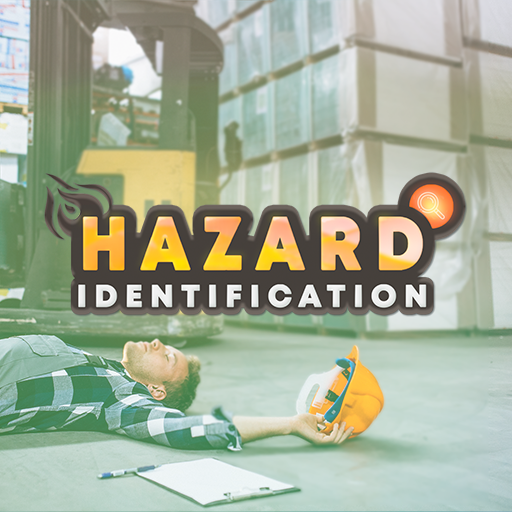
During the training, participants must identify various types of hazards in the production hall and implement the appropriate response procedures, including: 1. OBSTRUCTED PEDESTRIAN ROUTES 2. MOVING OUTSIDE DESIGNATED PEDESTRIAN ROUTES 3. NOISE 4. EYE HAZARDS 5. MANUAL HANDLING OPERATIONS 6. MOVING MACHINE PARTS 7. OBSTRUCTED FIRE-FIGHTING EQUIPMENT AND EMERGENCY EXITS 8. WORKING IN THE VICINITY OF A FORKLIFT TRUCK 9. WORKING IN THE VICINITY OF AN OVERHEAD CRANE 10. 5S